Faders for frames
Warning
Did I mention recently that I don’t know what I’m doing? Remember that. I barely understand the concepts behind things like xml and don’t get me started on Web 2.0.
By Jennifer Petkus
I like frames. I know that a lot of designers don’t, but I think they solve a lot of problems that would otherwise involve a mess of div tags or iframes. I especially think frames are perfect for fixing a menu at the top or left side of a page.
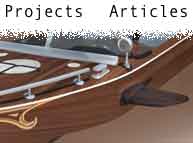
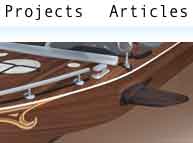
But using frames means dropping a lot of the baggage they carry, like turning off the heavy borders and scroll bars. And when you have a top frame (often called a ledge) you use as a fixed menu, it can have an ugly effect on the content in the scrolling frame. It chops it right off as you see in the first example. Now, if you have a news website or some other hard edged website, that’s no problem. But for an artsy-fartsy website like mine, it looks unpleasant. I prefer the soft edge effect seen in the second example.
The first step is to create a graphic that will have an alpha transparency and I know you’re already reaching for PhotoShop, but that might be a mistake.

Stupid browsers
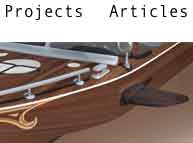
Not all of the current crop of browsers support graphics with alpha transparency, at least, not the kind you want. GIFs certainly have transparency, but it’s an either or thing. A pixel is either transparent or it’s not; there’s no partial transparency. Yes, you could create a dither or noise transparency effect, but it doesn’t look good, as you can see from the third example.
Ah, but what about PNGs? Yes, they support 8-bit transparency, so you can get the effect you want. But remember what I said about the current crop of browsers? Unfortunately, Internet Explorer 6 doesn’t really support transparent PNGs and you’re going to see the fourth example.
Of course, IE 7 solves this problem, but there are a lot of people using IE 6 and it would be nice to find a solution that works for versions 6 and 7.